LLM authentication: API key or OAuth 2.0 (JWT)
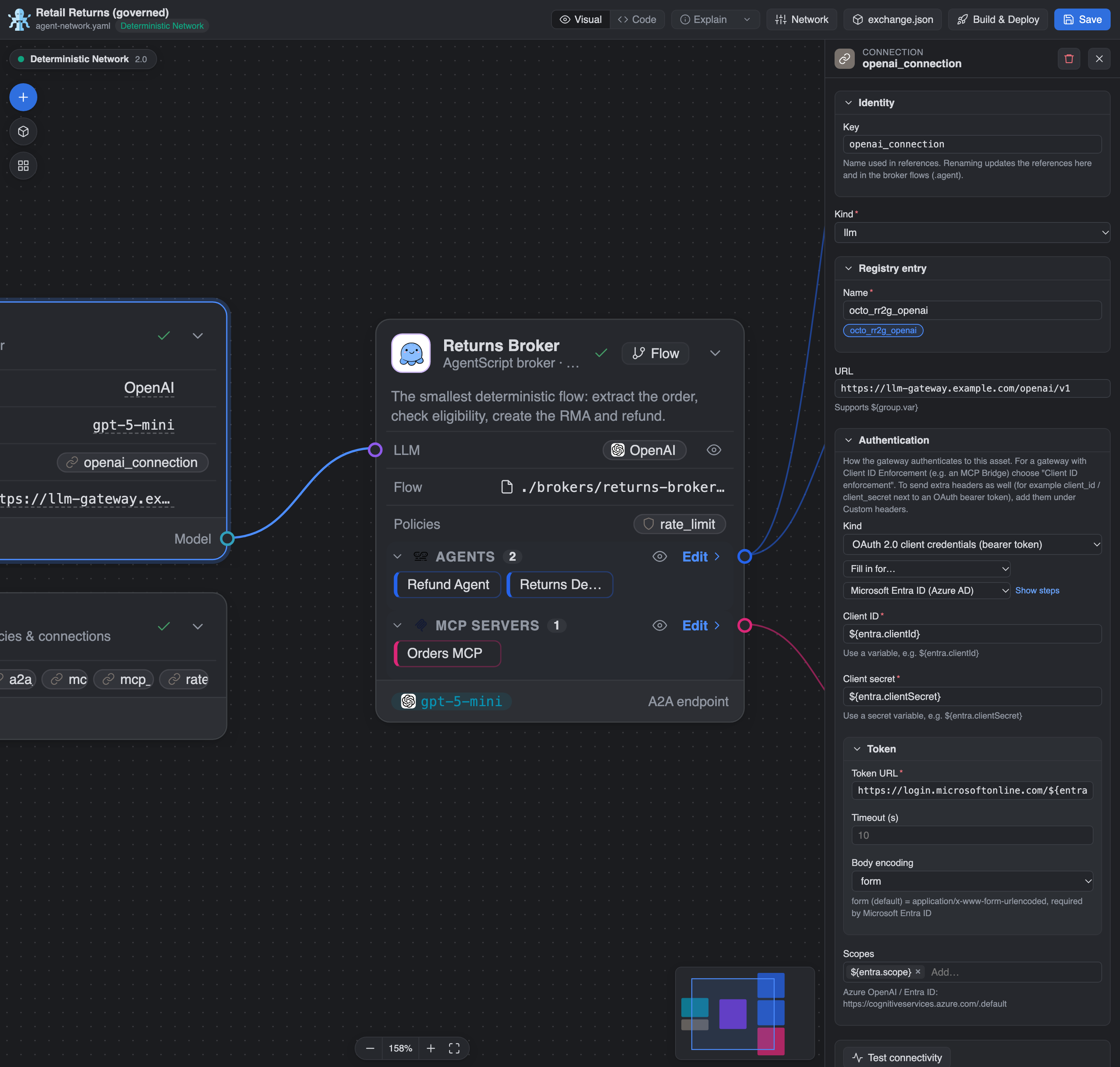
By default an LLM connection uses an API key and the gateway adds its transcoding policy. For an LLM behind your own gateway that expects a JWT, choose OAuth 2.0 client credentials on the connection: the egress gateway fetches the token from your identity provider, caches it and sends Authorization: Bearer <token> with every LLM call.
- Fill in for… writes the authentication block and the
exchange.jsonvariables for Microsoft Entra ID, Okta, Auth0, Keycloak, Salesforce, Amazon Cognito, PingOne, Anypoint connected apps or any other provider. Show steps lists the setup at the provider. - The LLM must declare an Input format (
openai,anthropicorgemini) and the kind under Supported authentication, otherwise the CLI only accepts an API key (build error 3060). Octoloom flags this in Problems and adds both before a build when the platform is clear. API key setups are not changed.
Buttons and components
The same text as the in-app Explain button (click the floating info button, then the item).
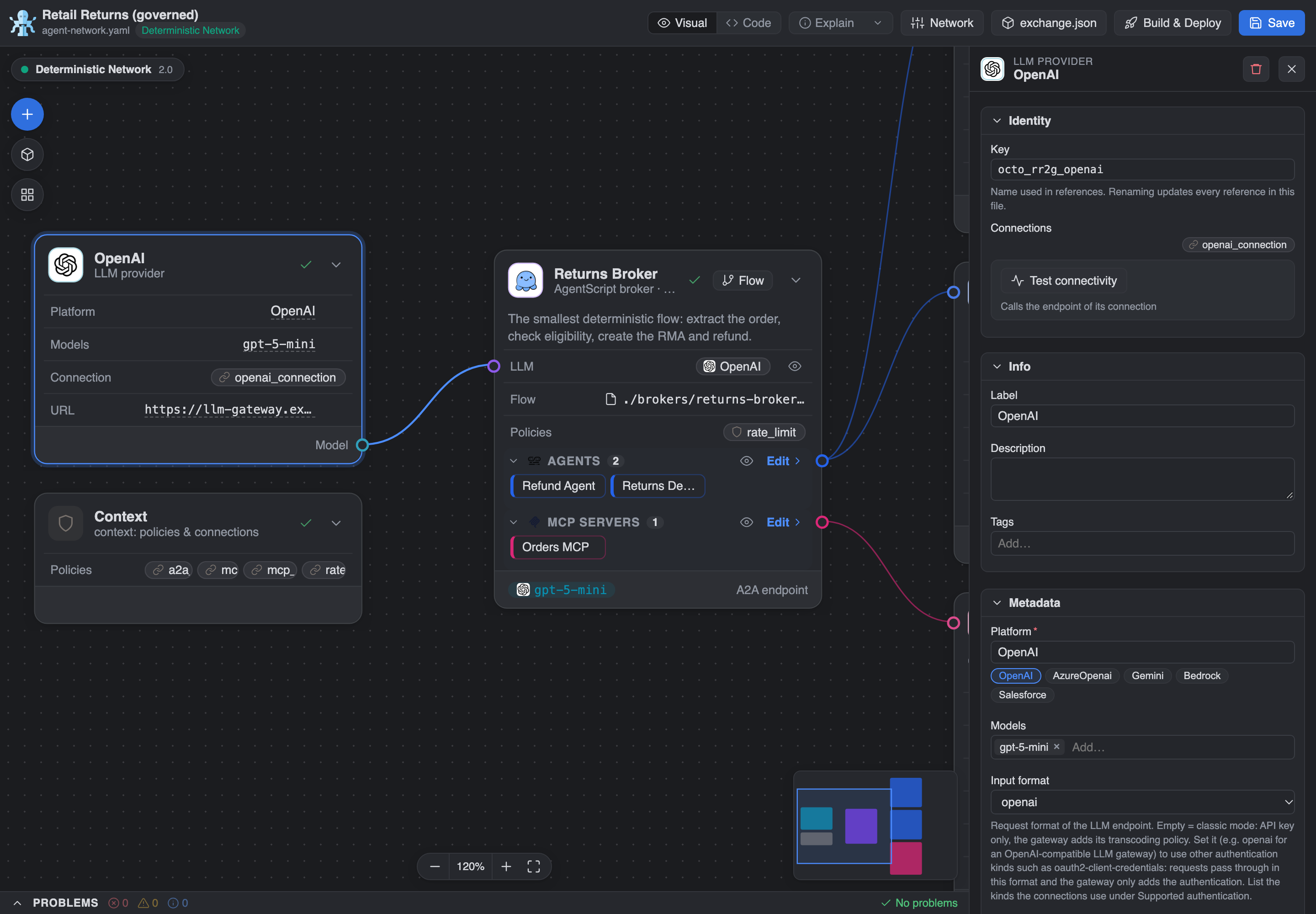
LLM provider
The model provider and models brokers may use. The key comes from a connection secret at deploy time. A dashed icon tile means the LLM is referenced from Exchange (an exchange.json dependency, classifier llm-metadata), not declared in this project; its Platform and Models are read-only on the card.
When to use it: Every network that has a 1.0 broker or AgentScript LLM nodes.
Examples:
- OpenAI gpt-5-mini
- Azure OpenAI deployment
- Dashed tile: MuleSoft openai from Exchange, shared by every project that references it
Connection
Where and how the gateway reaches an agent, MCP server or LLM: URL, authentication and policies.
When to use it: One per upstream. Change URLs per environment with variables.
Examples:
- ${refundAgent.url} with PII detection inbound
- openai_connection with apiKey ${openai.apiKey}
- MCP connection URL = server base without /mcp; Test connection calls exactly what the runtime calls