IT Incident Response: governed
Alerts are classified; P1s become a major incident with on-call page and status page, others go to the network, database or application specialist. Adds built-in policies: a2a-v1-pii-detector, header-injection, mcp-pii-detector, mcp-schema-validation, rate-limiting.
| Style | Deterministic (Agent Network 2.0, AgentScript) |
| Kind | Governed |
| Agents / MCP servers | 5 / 2 |
| A2A protocol | 1.0, 0.3.0 |
| Policies | a2a-v1-pii-detector, header-injection, mcp-pii-detector, mcp-schema-validation, rate-limiting |
| Asset prefix | octo_ir2g |
| Tutorial | IT Incident Response: governed: tutorial |
| Files | templates/v2-incident-response-governed |
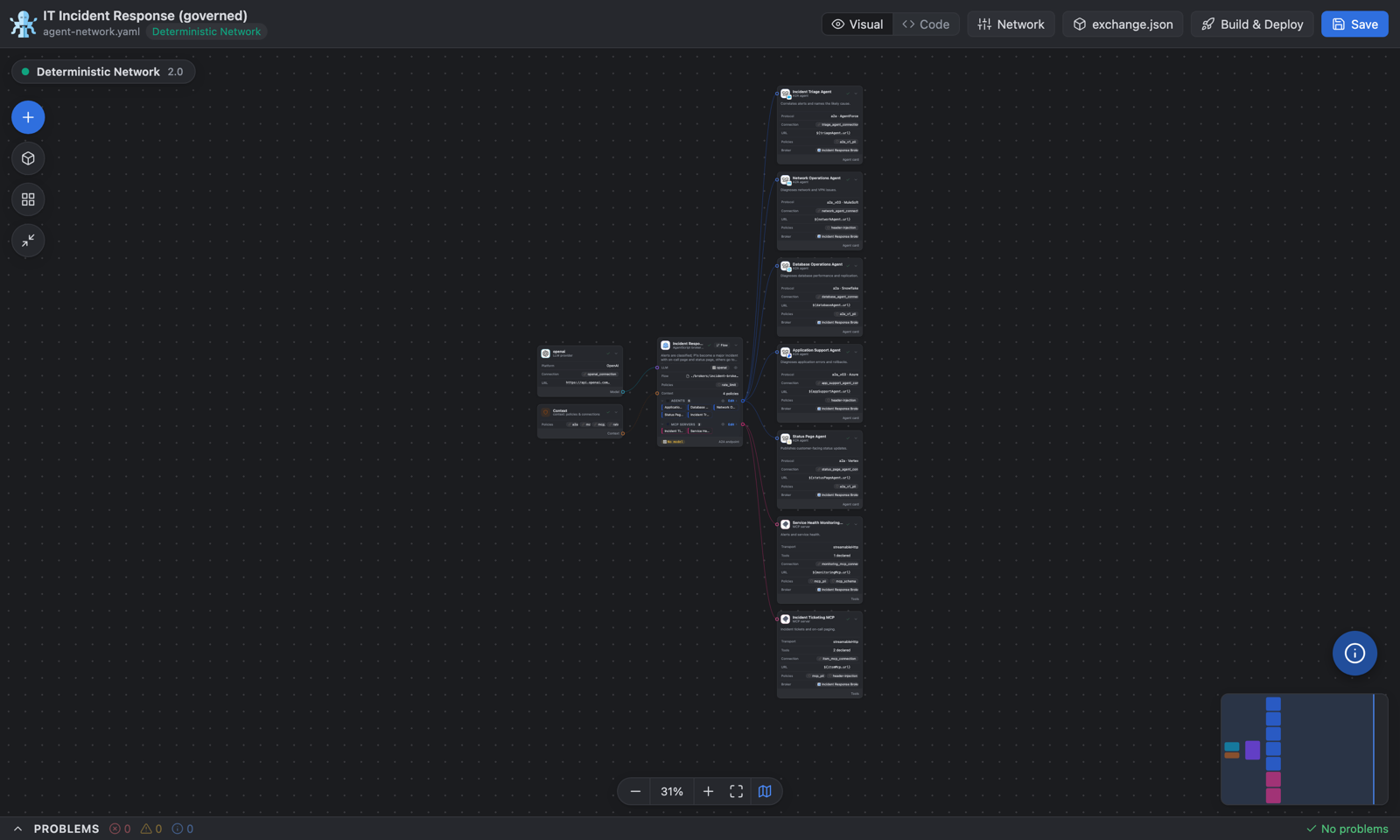 The network canvas
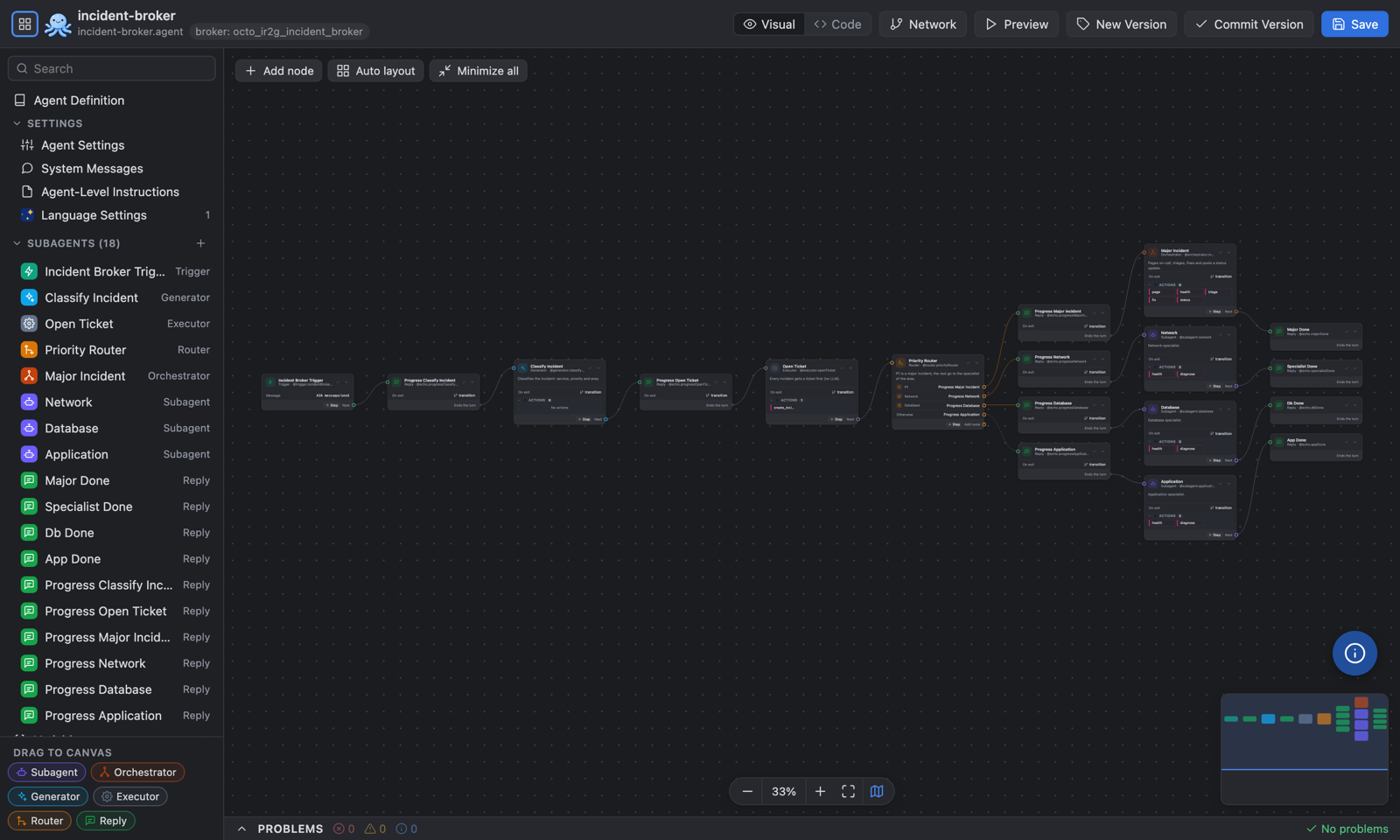 The broker flow (AgentScript)
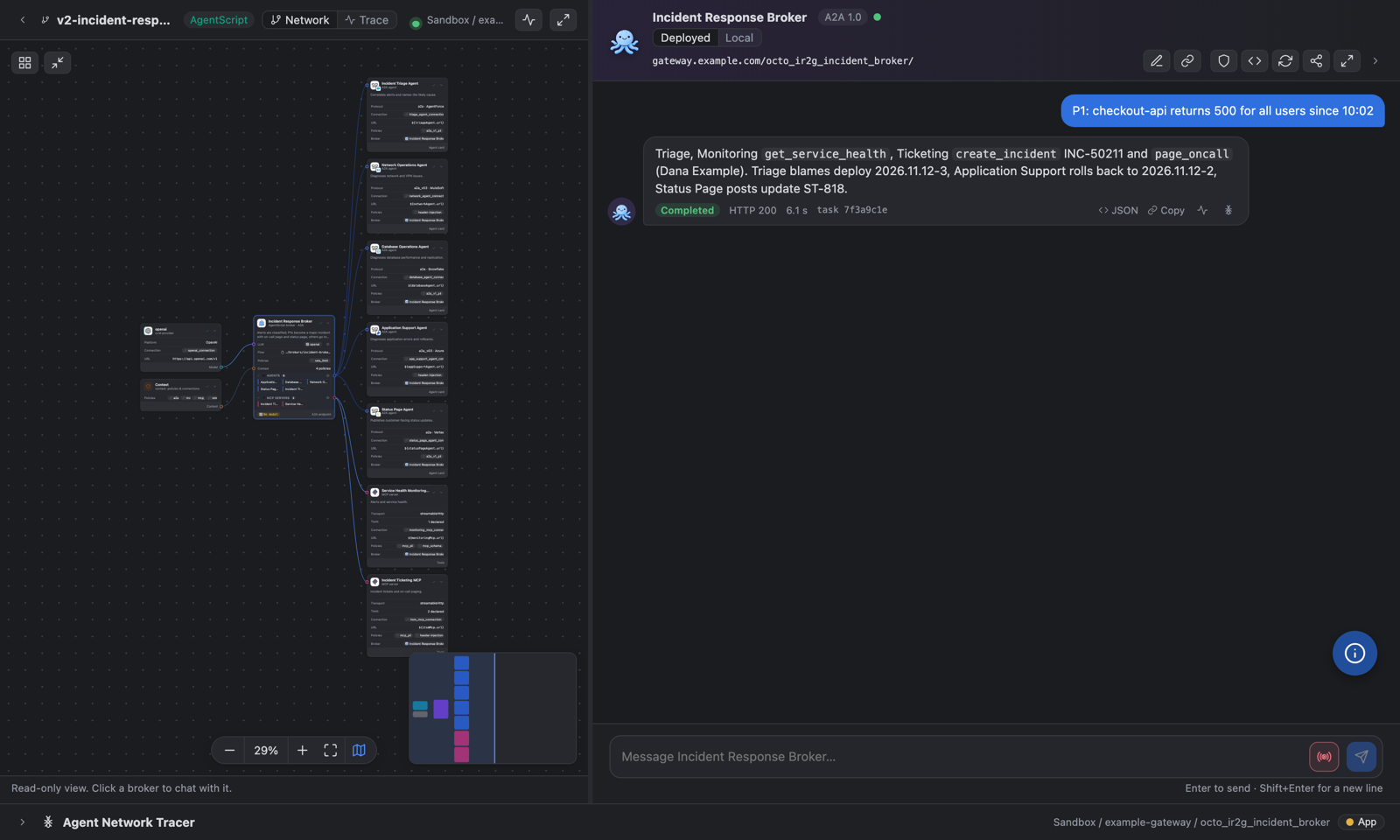 Chat with the deployed broker
Alerts are classified; P1s become a major incident with on-call page and status page, others go to the network, database or application specialist.
- Style: Deterministic (Agent Network 2.0): an AgentScript flow in
brokers/decides each step. - Agents: Incident Triage Agent (A2A 1.0, AgentForce), Network Operations Agent (A2A 0.3.0, MuleSoft), Database Operations Agent (A2A 1.0, Snowflake), Application Support Agent (A2A 0.3.0, Azure), Status Page Agent (A2A 1.0, Vertex)
- MCP servers: Service Health Monitoring MCP (get_service_health); Incident Ticketing MCP (create_incident, page_oncall)
- Policies (Agent Fabric built-ins): a2a-v1-pii-detector, header-injection, mcp-pii-detector, mcp-schema-validation, rate-limiting. They are declared in agent-network.yaml and listed as
schemadependencies in exchange.json.
All agents and MCP servers are public A2D mocks, so the network runs without any other system. No credentials are stored in this template.
Deploy in 3 steps
- Setup & Connect: connect Agent Fabric (connected app client ID and secret, organization). A²D is not needed: the mock URLs are already the defaults in
exchange.json. - In Projects & Deploy, click Deploy on this project (or Build & Deploy in the editor) and pick your gateway. Octoloom asks for each secret variable; nothing you type is stored:
openai.apiKey: your OpenAI API key (required)- When the status light turns green (Deployed and running), click Open chat and paste a prompt below. The Tracer icon under a reply opens the task in the Agent Network Tracer, with each agent and tool call.
Try it
- P1: checkout-api returns 500 for all users since 10:02
- You should see: Triage, Monitoring
get_service_health, Ticketingcreate_incidentINC-50211 andpage_oncall(Dana Example). Triage blames deploy 2026.11.12-3, Application Support rolls back to 2026.11.12-2, Status Page posts update ST-818. - orders-db replication lag is 40 minutes
- You should see: Routed to the Database Operations Agent: batch job BJ-4410 is throttled, lag below 1 minute in 15 minutes.
- VPN in the Zurich office drops every few minutes
- You should see: Routed to the Network Operations Agent: vpn-zrh-2 flaps because of an expiring certificate; failover to vpn-zrh-1, renewal at 14:00.
- My email is jane.doe@example.com and my phone is +41 79 123 45 67. P1: checkout-api returns 500 for all users since 10:02
- You should see: Same answer as the first prompt. The PII detector policies log the email and phone number; on the MCP connections with the MCP PII detector they are masked before the tool sees them. Check the policy logs in Anypoint Monitoring.
- Send the first prompt more than 30 times within a minute
- You should see: The broker answers HTTP 429 (Too Many Requests) once the rate limit of 30 requests per minute is reached.
The broker is deterministic: the branches are fixed in the flow in brokers/ (open the .agent file to see them). The LLM only reads the ids from your prompt and writes the reply text, so the same input takes the same branch.