IDMC Data Trust (needs Informatica IDMC)
A deterministic flow over four Informatica shared MCP servers: classify the request, then verify the address, search the catalog with data quality scores, or resolve the customer in MDM. Needs your own Informatica IDMC org and an IDMC MCP client (OAuth 2.0 client credentials).
| Style | Deterministic (Agent Network 2.0, AgentScript) |
| Kind | Informatica IDMC |
| Agents / MCP servers | 0 / 4 |
| A2A protocol | |
| Policies | none |
| Asset prefix | octo_iv2 |
| Tutorial | IDMC Data Trust (needs Informatica IDMC): tutorial |
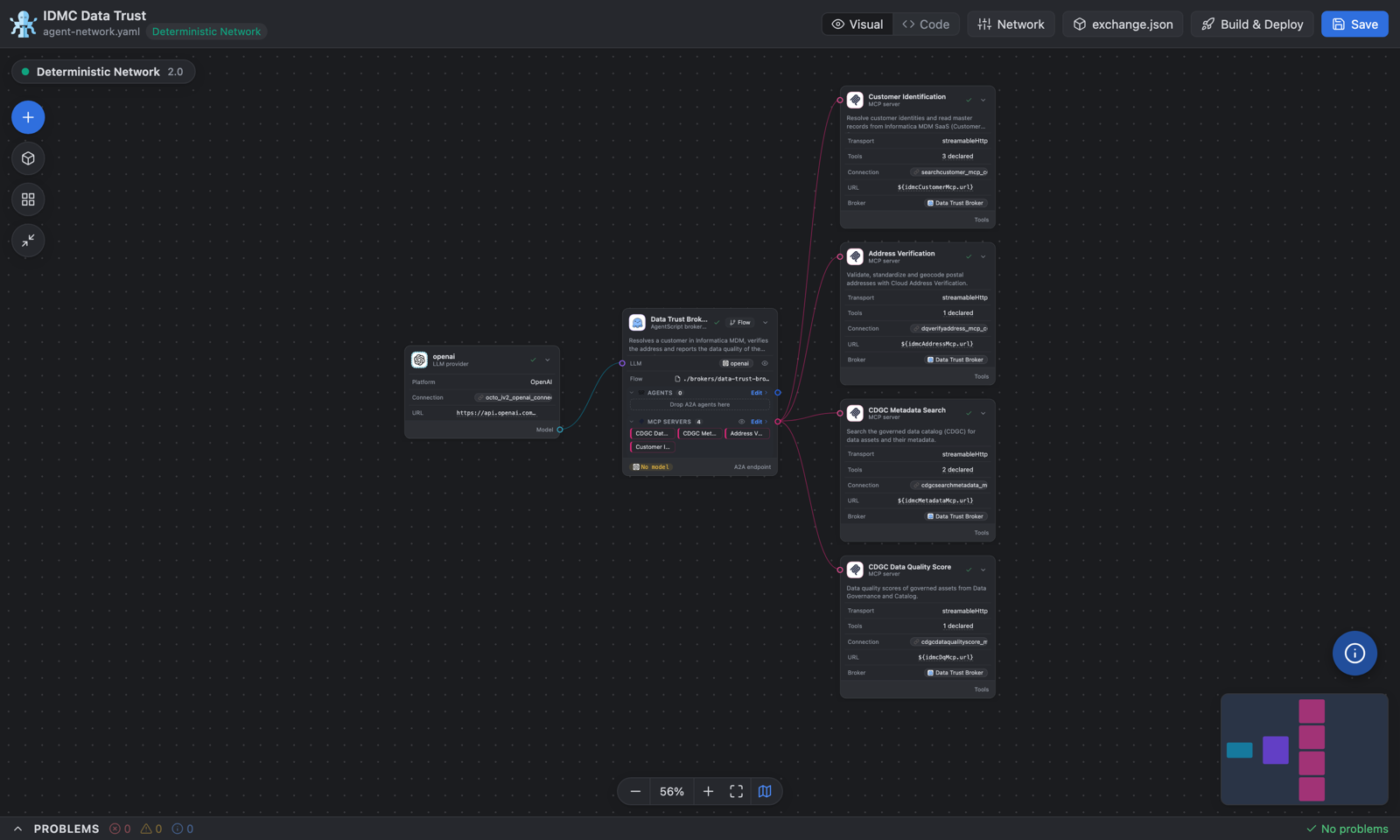 The network canvas
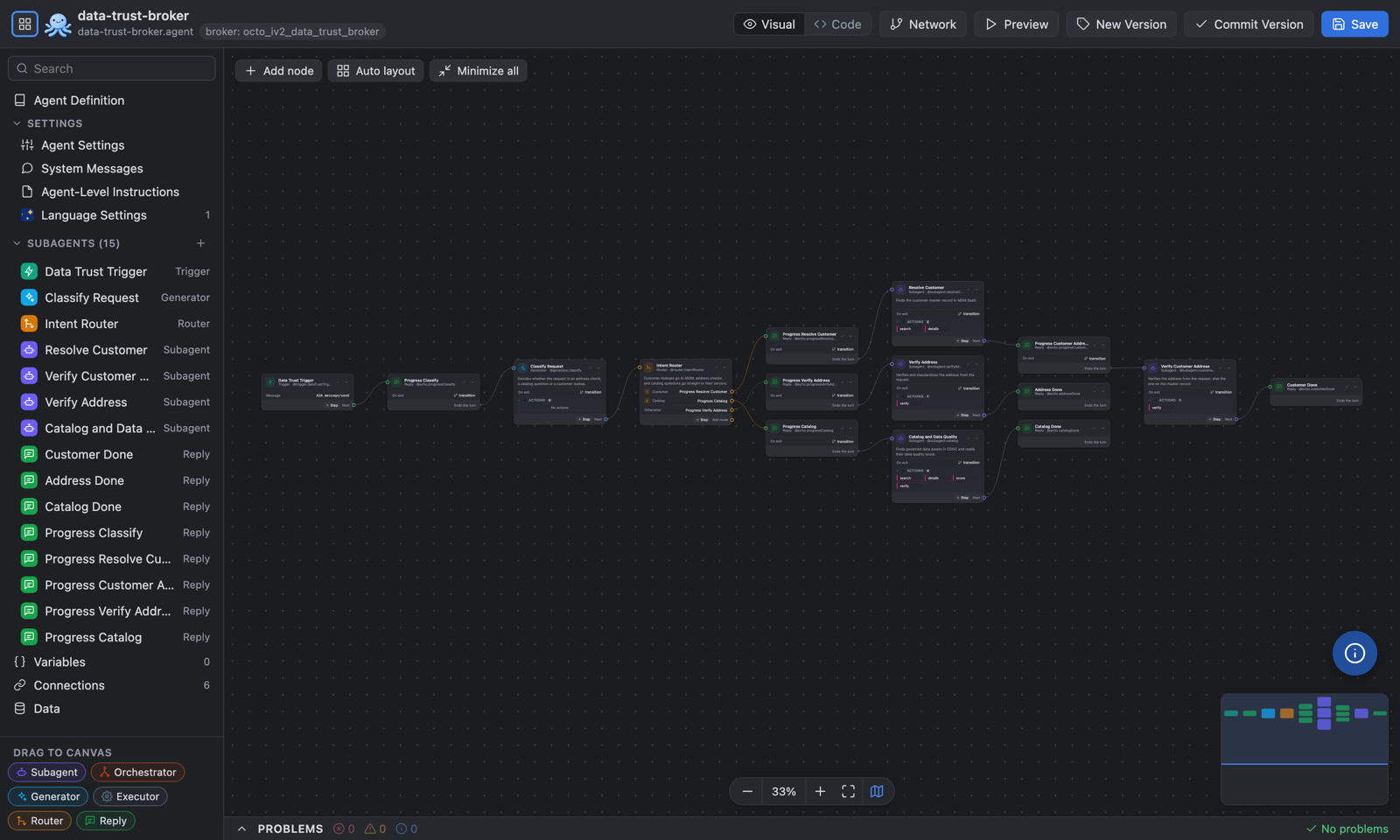 The broker flow (AgentScript)
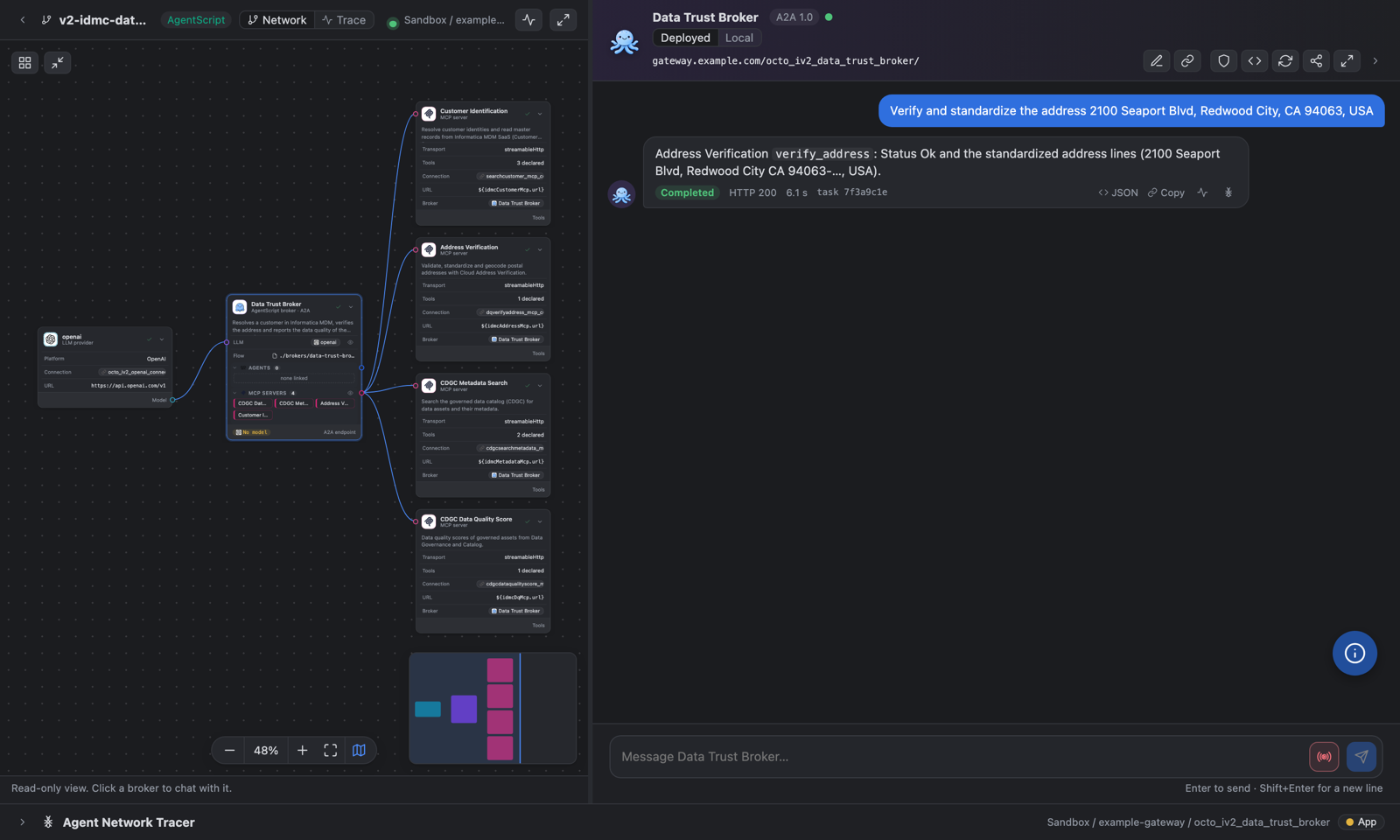 Chat with the deployed broker
A deterministic AgentScript broker (brokers/data-trust-broker.agent) over four Informatica IDMC shared MCP servers. One LLM step classifies the request, then a router sends it down one path:
- Customer: Resolve Customer (MDM SaaS search and details) → Verify Customer Address
- Address: Verify Address
-
Catalog: Catalog and Data Quality (CDGC Metadata Search, Data Quality Score, plus the address when one is given)
-
Style: Deterministic (Agent Network 2.0, AgentScript).
- Agents: none (one broker)
- MCP servers: Customer Identification, Address Verification, CDGC Metadata Search, CDGC Data Quality Score
- Authentication: every MCP connection uses OAuth 2.0 client credentials (
idmc.clientId,idmc.clientSecret,idmc.tokenUrl).
No credentials are stored in this template.
Before you start: what you need in Informatica IDMC
This template does not run on mocks. It calls four Informatica shared MCP servers, so you need an IDMC org with these in place:
- An IDMC org and its pod. Log in to IDMC and note the pod in the address bar:
https://<pod>.informaticacloud.com(for exampledmp-us,dm-us,dm-em). The defaults inexchange.jsonusedmp-us. For another pod, replacedmp-usin the four URL variables and inidmc.tokenUrl. - The services behind the four MCP servers, licensed and enabled in the org:
- Customer Identification (
searchcustomer): needs MDM SaaS Customer 360 with person or organization business entities. Without it, customer lookups answer "business entity … is not valid" and the broker carries on with the other steps. - Address Verification (
dqverifyaddress): Data Quality address verification. - CDGC Metadata Search (
cdgcsearchmetadata) and CDGC Data Quality Score (cdgcdataqualityscore): Data Governance and Catalog with catalogued assets (and data quality scores for the score tool). In IDMC, open MCP Servers (or the IDMC MCP server registry) and check that the four shared servers are listed and enabled for the org. - An IDMC MCP client (OAuth 2.0 client credentials): in IDMC, create an MCP client for the shared MCP servers and copy its Client ID and Client Secret. The token URL of your pod is
https://<pod>.informaticacloud.com/authz-service/oauth/token(variableidmc.tokenUrl). The gateway gets and renews the bearer token itself, so there is no session to refresh. - The server URLs. Each URL variable holds the full server URL,
https://mcp.<pod>.informaticacloud.com/mcp-servers/public/<server>, and the transport path of each MCP server is/mcp. Do not shorten the URL to the host: the broker calls<url>/mcp, and IDMC answers the host alone with 405 (text/html), which shows as a 502 in the chat. Octoloom warns in Problems when a connection URL is only the IDMC host.
Keep the Client ID and Client Secret out of the files: Octoloom asks for them at Deploy (and Run locally) and stores nothing.
Deploy in 3 steps
- Setup & Connect: connect Agent Fabric (connected app client ID and secret, organization). The IDMC side needs no connection in Octoloom: the gateway authenticates with the IDMC MCP client. The
groupIdinexchange.jsonis filled with your organization at Build. Run Validate Project first for a dry run of build, publish and deploy. - Check the pod in the four URL variables and
idmc.tokenUrl. In Projects & Deploy, click Deploy on this project (or Build & Deploy in the editor) and pick your gateway. Octoloom asks for each secret variable; nothing you type is stored: openai.apiKey: your OpenAI API key (required)idmc.clientId: the Client ID of your IDMC MCP client (required)idmc.clientSecret: the Client Secret of your IDMC MCP client (required)- When the status light turns green (Deployed and running), click Open chat and paste a prompt below. The trace icon under a reply shows each step and tool call.
Try it
- Verify and standardize the address 2100 Seaport Blvd, Redwood City, CA 94063, USA
- You should see: Address Verification
verify_address: Status Ok and the standardized address lines (2100 Seaport Blvd, Redwood City CA 94063-…, USA). - Which catalog assets hold customer data, and what is their data quality score?
- You should see: CDGC Metadata Search
search_metadata: a list of catalog hits (data collections, classifications, protections, fields) with name and type, then CDGC Data Quality Scoreget_asset_score: the score of the most relevant asset, or that no score is recorded. - Check the address 2100 Seaport Blvd, Redwood City, CA 94063 and tell me which catalog assets hold customer address or contact data
- You should see:
verify_addresswith Status Ok first, then the catalog hits for customer address and contact data fromsearch_metadata. - Find the customer John Smith, address 2100 Seaport Blvd, Redwood City, CA 94063
- You should see: Customer Identification
search_master_record: the master record (business ID, name, address) when MDM SaaS Customer 360 is in place; without it, one sentence with the MDM error ("business entity … is not valid"), then the address check.
The hits, scores and records come from your own IDMC org, so they differ from org to org.
Each prompt takes one path of the flow; open the .agent file to see the steps on the flow canvas.