Event Ticketing (fully mocked)
Extract the event, check availability, reserve the seats and issue the tickets, or join the waitlist. Fully mocked: the LLM is an A²D LLM mock too, so no OpenAI key is needed.
| Style | Deterministic (Agent Network 2.0, AgentScript) |
| Kind | Fully mocked |
| Agents / MCP servers | 2 / 2 |
| A2A protocol | 0.3.0, 1.0 |
| Policies | none |
| Asset prefix | octo_et2 |
| Tutorial | Event Ticketing (fully mocked): tutorial |
| Files | templates/v2-event-ticketing |
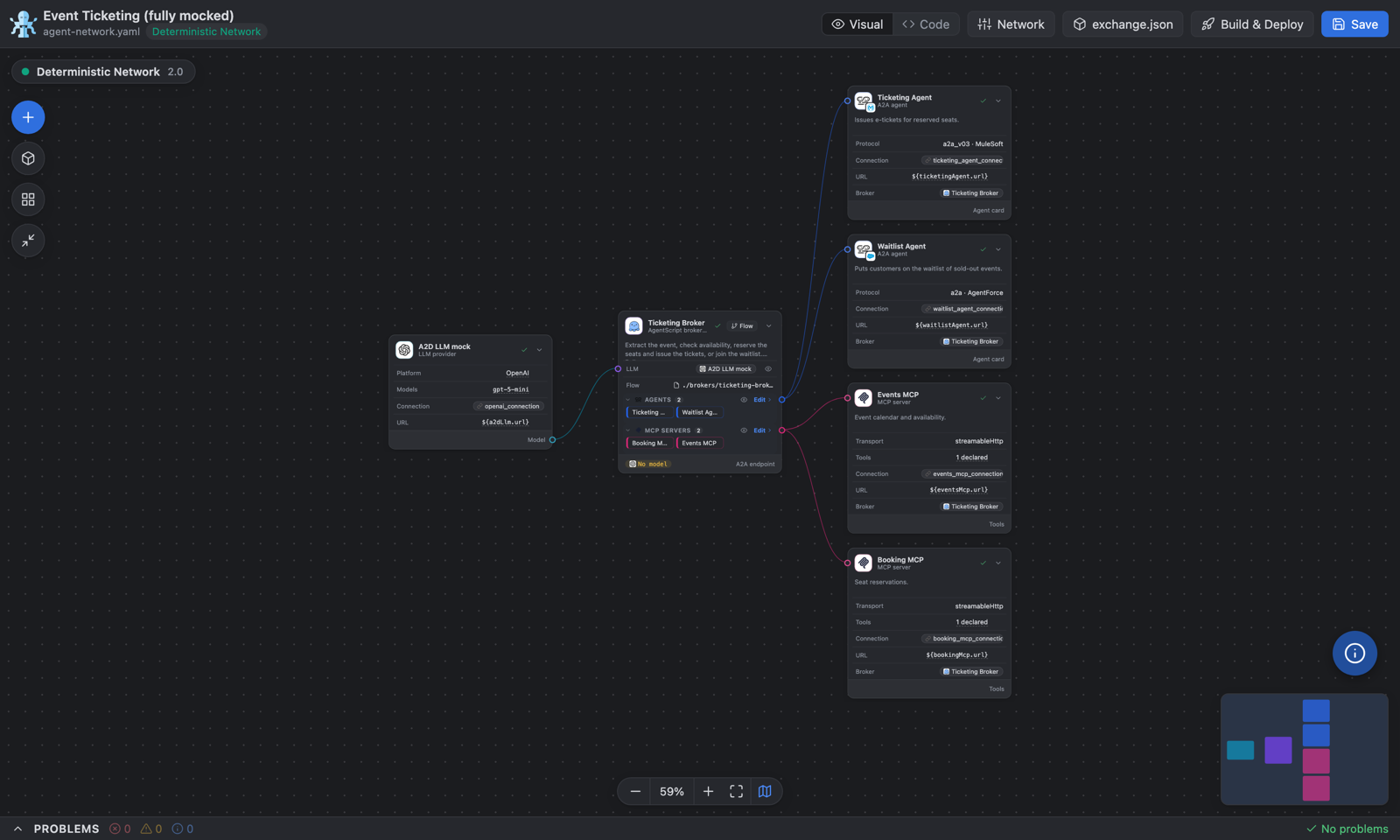 The network canvas
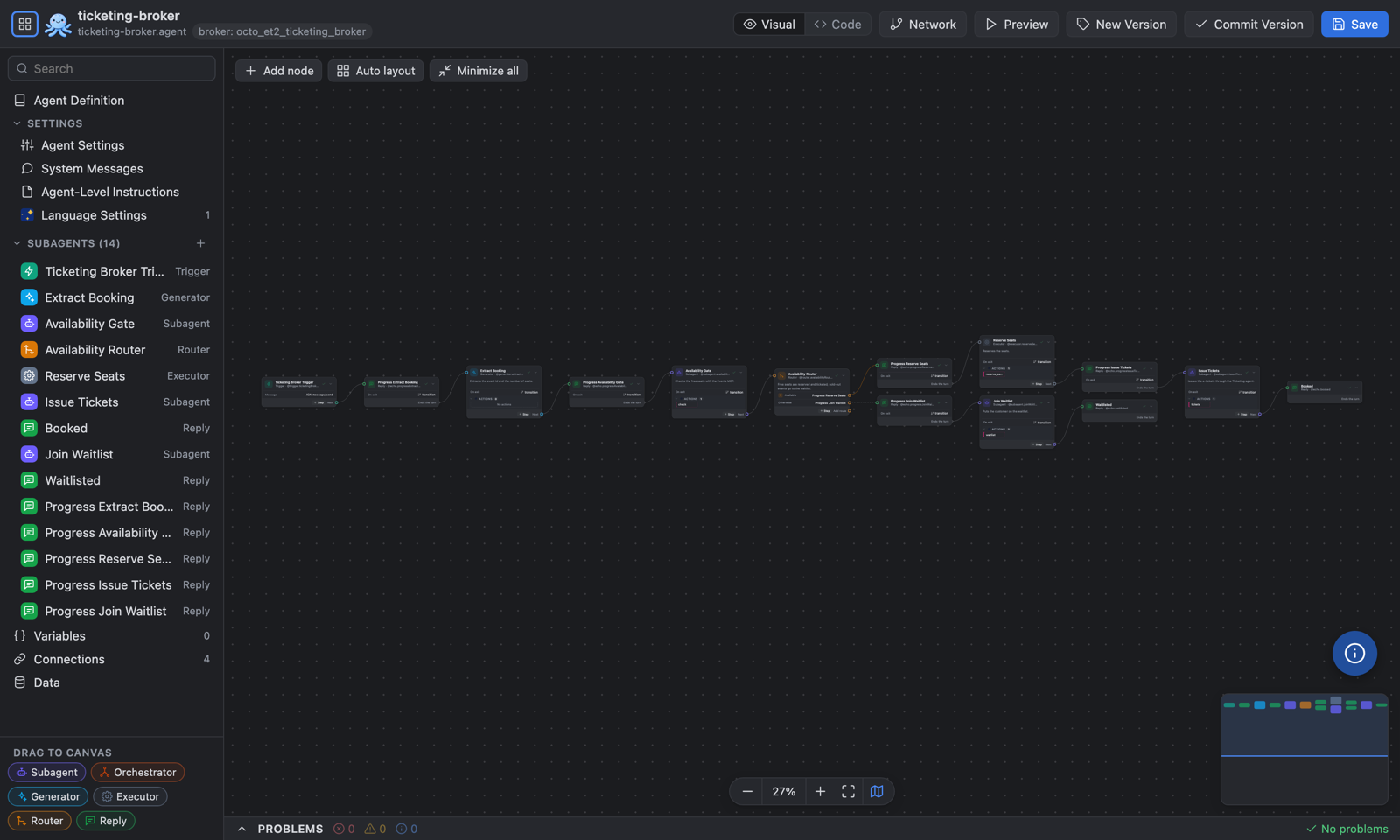 The broker flow (AgentScript)
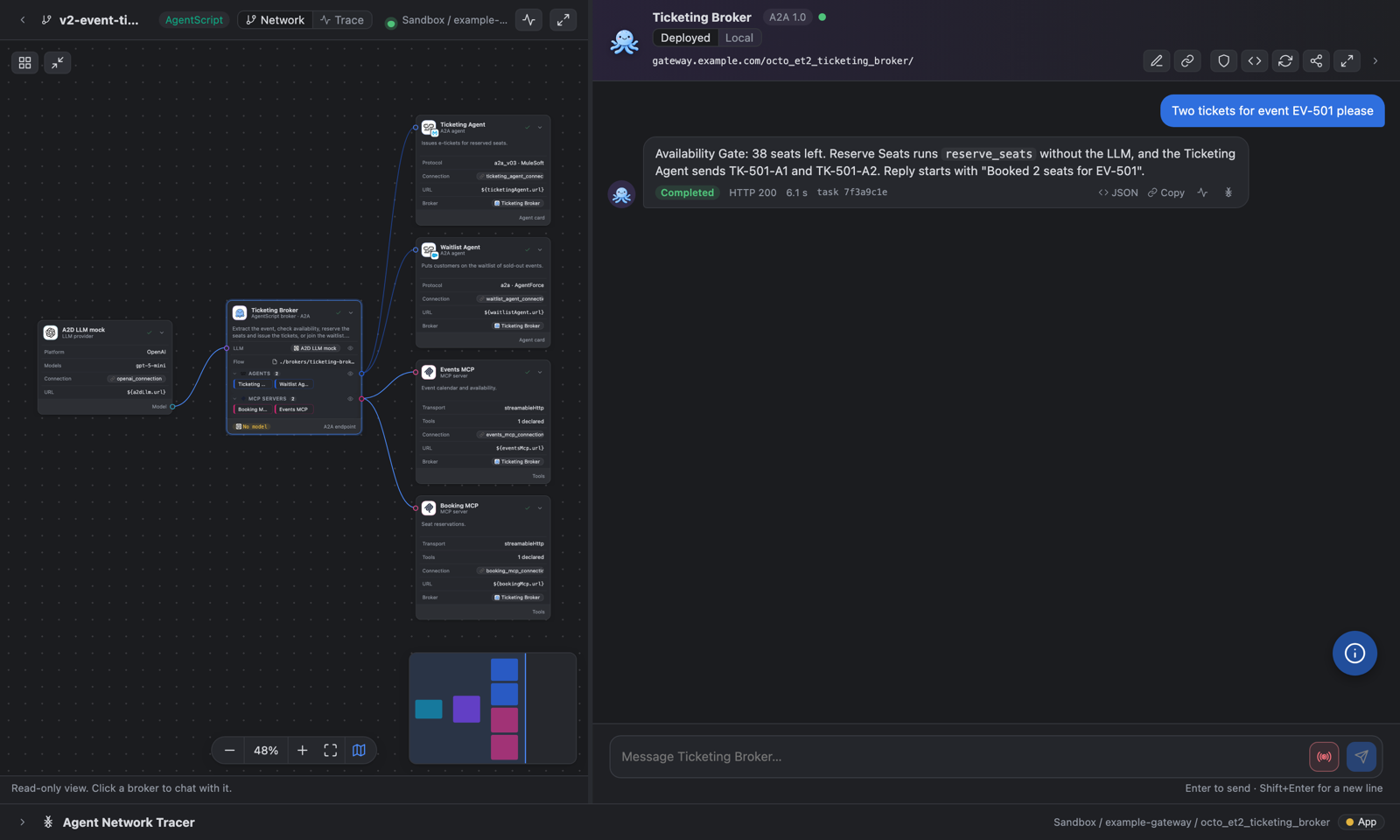 Chat with the deployed broker
Extract the event, check availability, reserve the seats and issue the tickets, or join the waitlist. Fully mocked: the LLM is an A²D LLM mock too, so no OpenAI key is needed.
- Style: Deterministic (Agent Network 2.0): an AgentScript flow in
brokers/decides each step. - Agents: Ticketing Agent (A2A 0.3.0, MuleSoft), Waitlist Agent (A2A 1.0, AgentForce)
- MCP servers: Events MCP (check_availability); Booking MCP (reserve_seats)
Fully mocked: the agents, the MCP servers and the LLM are public A2D mocks, so the network runs without an OpenAI key or any other system. The LLM mock answers the prompts below with scripted tool calls and replies; any other prompt gets a short hint. No credentials are stored in this template.
Deploy in 3 steps
- Setup & Connect: connect Agent Fabric (connected app client ID and secret, organization). A²D is not needed: the mock URLs are already the defaults in
exchange.json. - In Projects & Deploy, click Deploy on this project (or Build & Deploy in the editor) and pick your gateway. Octoloom asks for each secret variable; nothing you type is stored:
a2dLlm.apiKey: the A²D LLM mock key: keep the default, any value works- When the status light turns green (Deployed and running), click Open chat and paste a prompt below. The Tracer icon under a reply opens the task in the Agent Network Tracer, with each agent and tool call.
Try it
- Two tickets for event EV-501 please
- You should see: Availability Gate: 38 seats left. Reserve Seats runs
reserve_seatswithout the LLM, and the Ticketing Agent sends TK-501-A1 and TK-501-A2. Reply starts with "Booked 2 seats for EV-501". - Four seats for EV-502
- You should see: Availability Gate: sold out. The Waitlist Agent (A2A 1.0) adds you at position 3 (WL-502-19).
The LLM is an A²D LLM mock: it answers the prompts above with the same tool calls and replies every time (the flow in brokers/ decides the branches, the mock fills in the LLM steps). Swap a2dLlm.url for a real OpenAI-compatible endpoint to let a real model drive it.