Broker LLM provider
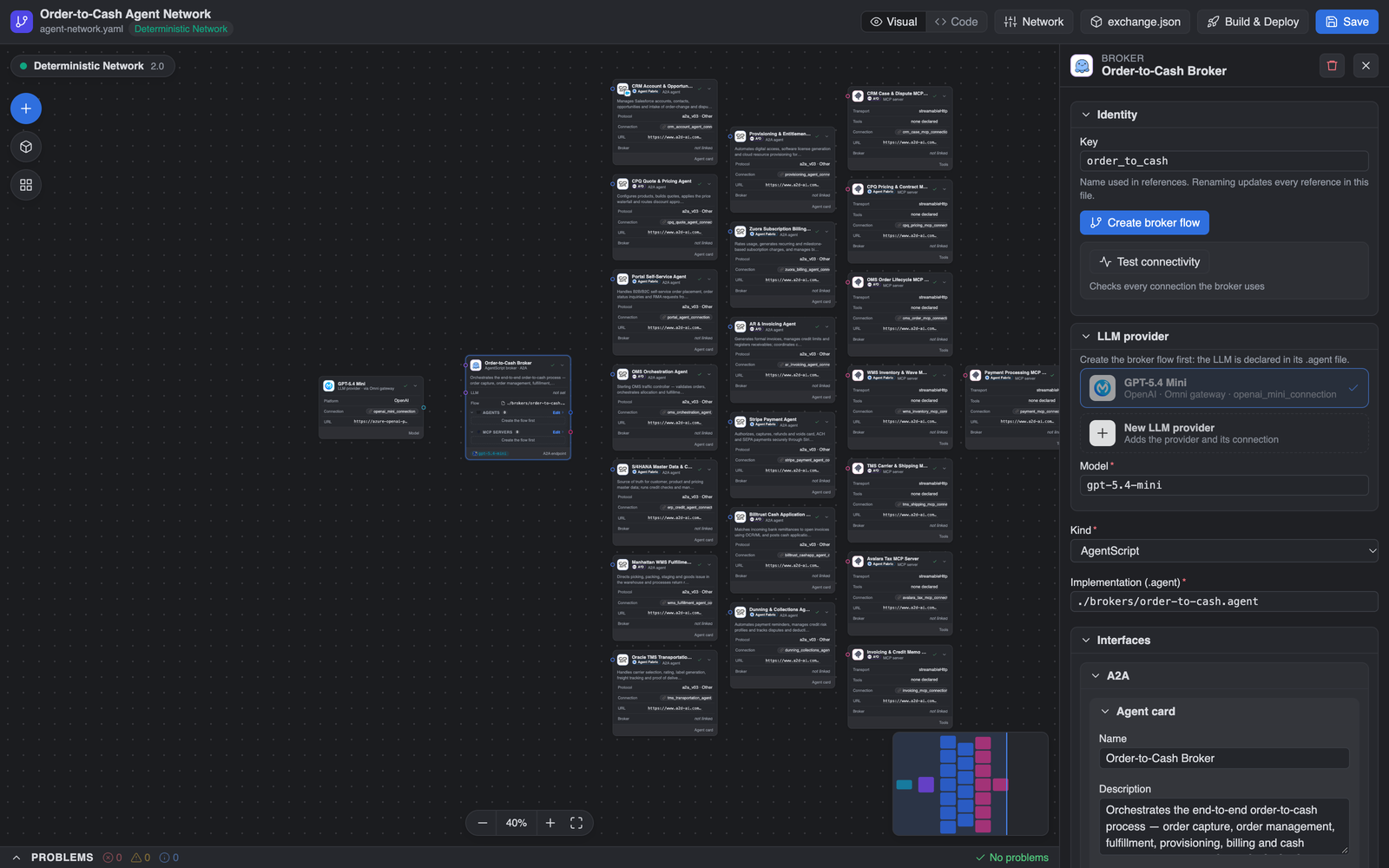
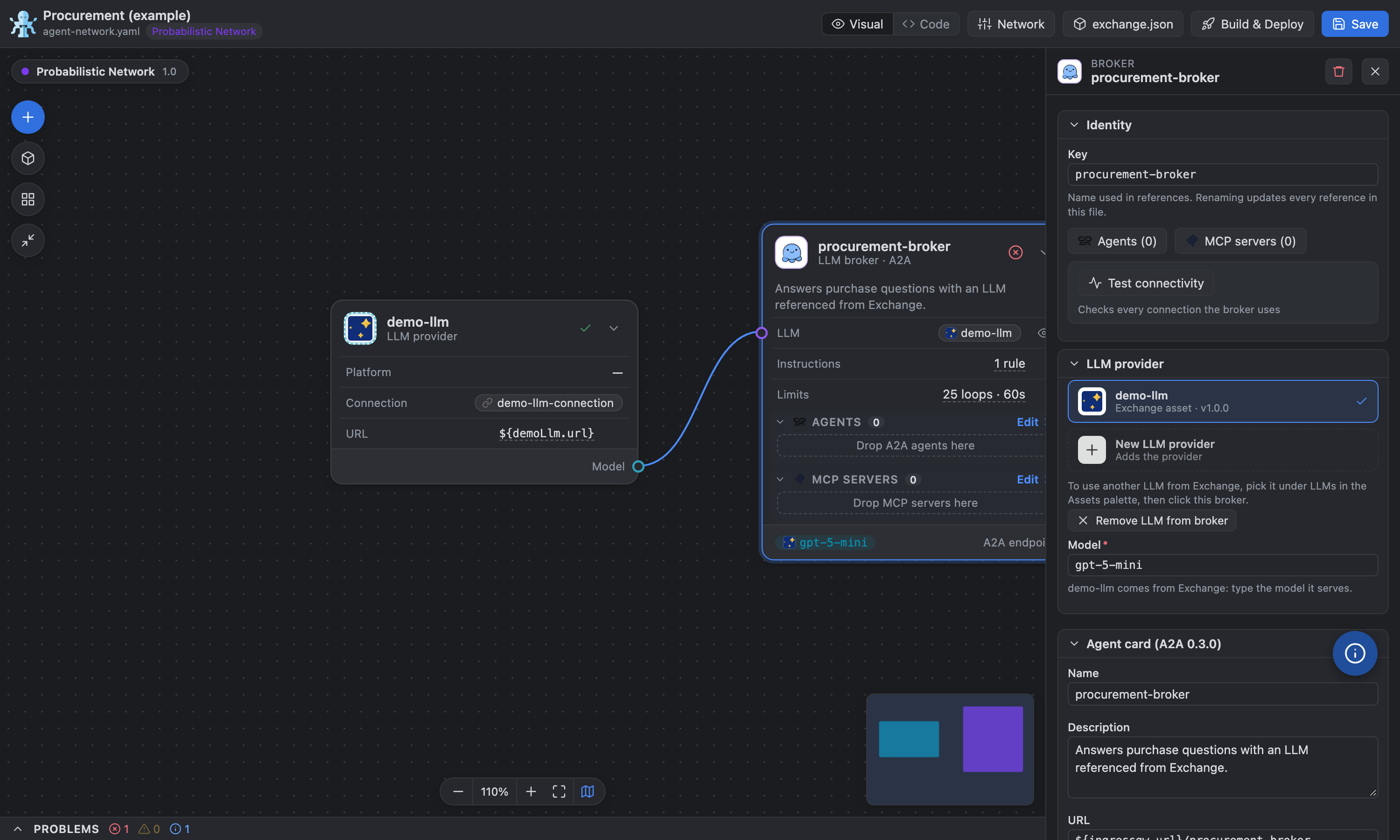
Select a broker and choose its LLM provider and model in the inspector:
- v1: writes
spec.llm(provider reference, connection, model). - v2: writes the
llmblock andconfig.default_llmof the broker's.agentfile. - A v2 broker's Kind and Implementation are in a Protected broker settings section with a lock, like the protected part of
exchange.json: read-only until you unlock it.
An LLM whose URL points to a MuleSoft / Flex gateway is labelled via Omni gateway. Variables are resolved from the exchange.json defaults; secrets are never shown.
Buttons and components
The same text as the in-app Explain button (click the floating info button, then the item).
LLM provider
The model provider and models brokers may use. The key comes from a connection secret at deploy time. A dashed icon tile means the LLM is referenced from Exchange (an exchange.json dependency, classifier llm-metadata), not declared in this project; its Platform and Models are read-only on the card.
When to use it: Every network that has a 1.0 broker or AgentScript LLM nodes.
Examples:
- OpenAI gpt-5-mini
- Azure OpenAI deployment
- Dashed tile: MuleSoft openai from Exchange, shared by every project that references it